





Device Finder
Add your model number and we will show you which Apple Device you have.
Welk Apple-apparaat heb ik?
Ontdek andere manieren om te bepalen welk model iPad, MacBook of iPhone je hebt.
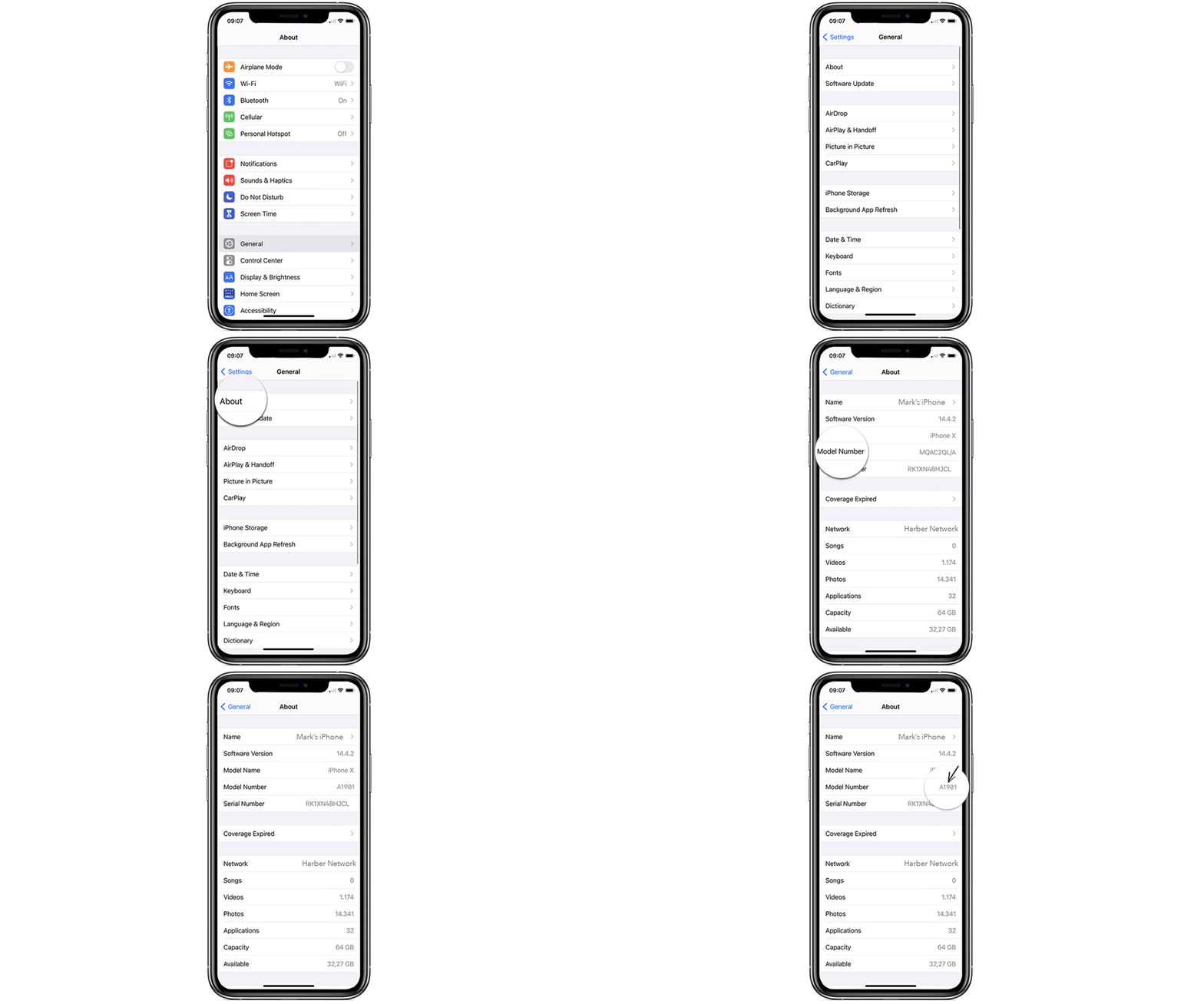
Bepaal het model van je iPad en iPhone
Ga naar Instellingen > Algemeen > Over
Daar vind je het modelnummer. Tik erop en Ontdek het modelnummer van je Apple-apparaat.
Zo kun je het modelnummer van je iPad en iPhone vinden.
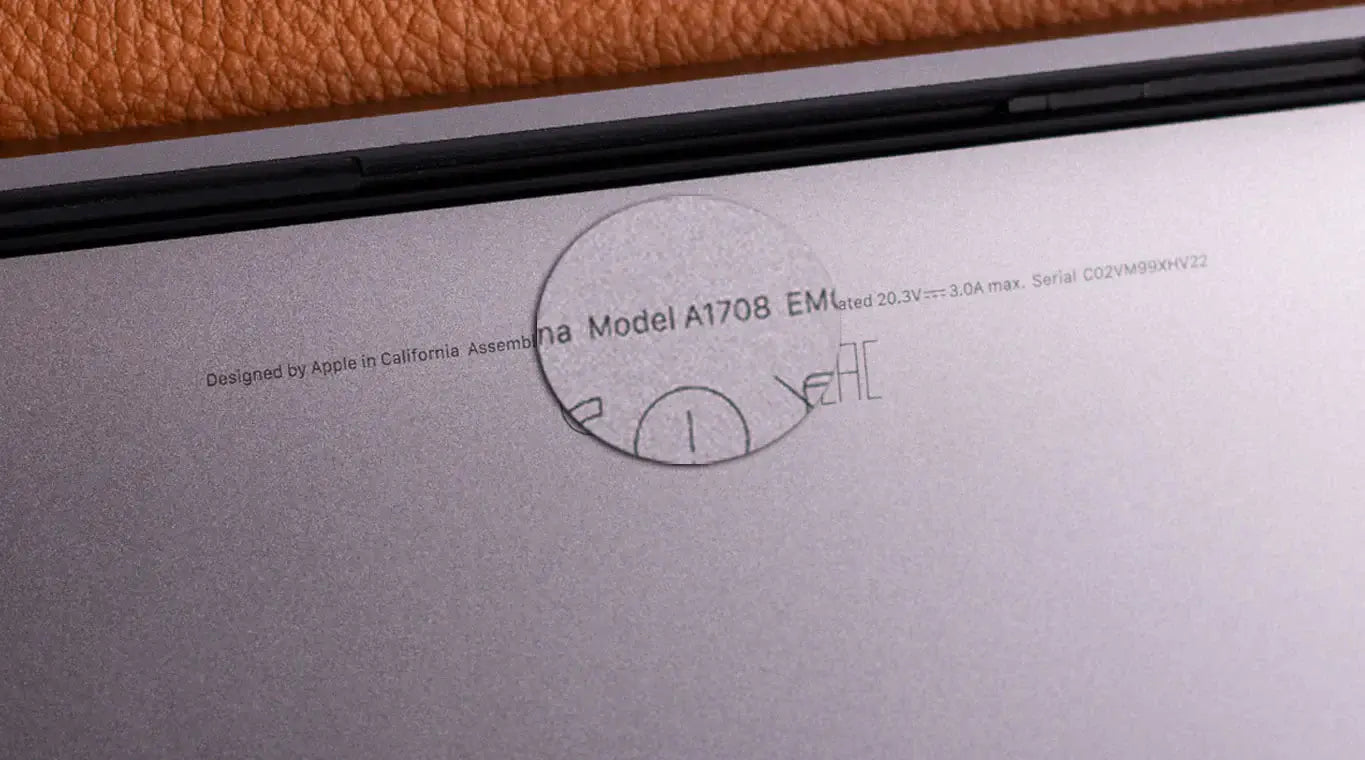
Bepaal het model van je MacBook
Optie 1) Zoek het modelnummer dat aan de onderkant van je Mac staat, vlakbij de wettelijk vereiste markeringen. Bijvoorbeeld modelnummer A1708, zoals op de afbeelding te zien is.
Optie 2) Klik op het Apple-logo in de linkerbovenhoek van je scherm, klik op 'Over deze Mac' en je ziet het type en het bouwjaar van je apparaat.
Zo kunt u het modelnummer van uw MacBook-apparaat vinden.
Welke iPad, iPhone of MacBook heb ik?
Bepaal welk model iPad, iPhone of MacBook je hebt en ontdek welk apparaatmodel je bezit.
Bescherm je apparaten met opvallende hoesjes die als gegoten zitten, geschikt voor alle generaties.
Geef je apparaat de bescherming die het verdient.


